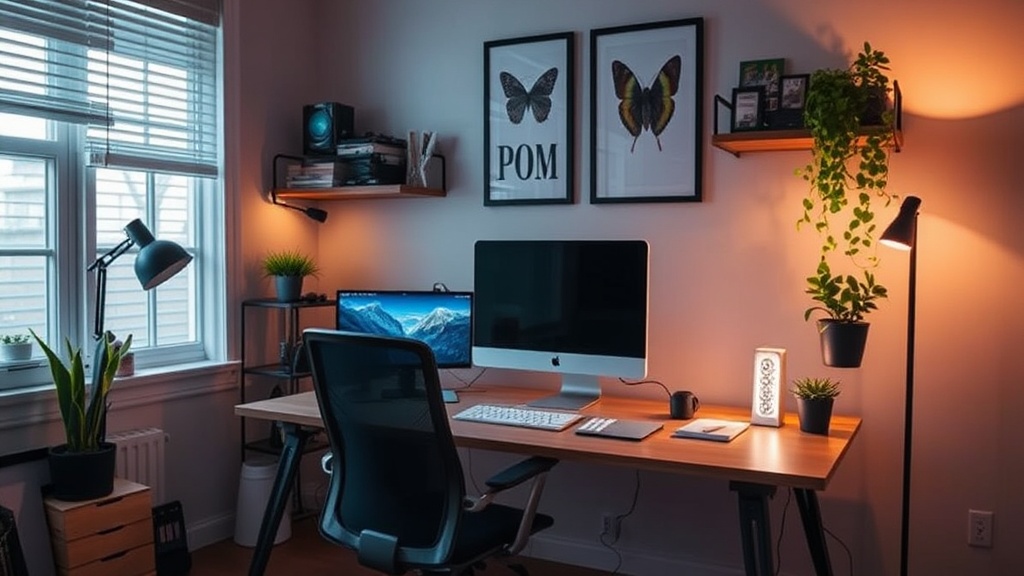
Setting Up a Functional Home Office for Remote Work

Do you find yourself working from your kitchen table, leaning over a laptop while trying to eat lunch, or perhaps working from a couch that wasn't meant for long-term sitting? Creating a dedicated workspace isn't just about having a desk; it's about establishing a mental boundary between your professional responsibilities and your personal life. This guide looks at how to build a setup that actually supports your focus and physical well-being without requiring a massive renovation.
A well-organized workspace can change how you feel about your work day. When your environment is cluttered or uncomfortable, your brain spends more energy dealing with those distractions than focusing on the task at hand. We're going to look at the physical requirements, the ergonomic considerations, and the small adjustments that make a big difference in your daily output.
How do I choose the right desk and chair for my space?
The most common mistake people make is choosing furniture based solely on how it looks in a catalog. A beautiful chair is useless if it leaves you with a sore back after two hours of typing. When selecting a chair, look for adjustable height and lumbar support. You need something that allows your feet to rest flat on the floor with your knees at a ninety-degree angle. If you're on a budget, even a standard dining chair can work temporarily, but you'll likely need a seat cushion to make it tolerable.
As for the desk, the height is the most important factor. If you're using a standard desk and feel like you're hunching over, you might need a laptop riser or a stack of books to bring your screen to eye level. A standing desk is a great option if you want to alternate between sitting and standing, but even a simple fixed-height desk works if you have the right accessories. The goal is to prevent the "tech neck" that comes from looking down at a screen all day.
Consider these basic ergonomic tips:
- Eye Level: The top third of your monitor should be at eye level.
- Arm Position: Your elbows should be at a comfortable angle, roughly 90 degrees, while typing.
- Foot Placement: Your feet should never be dangling; use a footrest if necessary.
For more detailed ergonomic standards, the OSHA guidelines offer excellent breakdowns of how body positioning affects long-term health.
What lighting works best for a home office?
Lighting is often an afterthought, but it's one of the biggest factors in eye strain and fatigue. If you're working in a room with only one harsh overhead light, you're likely to experience headaches. The best setup involves layering your light sources. Natural light is wonderful, but you have to be careful about glare on your screen. If a window is directly behind you, the glare can be maddening; if it's in front of you, it might be too bright. Position your desk perpendicular to windows to get the benefit of daylight without the distraction.
For artificial light, a dedicated desk lamp with a warm, adjustable bulb is a smart investment. You want light that is soft enough to prevent glare but bright enough to keep you alert. Avoid using blue-light heavy screens late into the evening if you want to maintain a healthy sleep cycle. Many people find that using a task lamp for specific work and a softer ambient light for the rest of the room helps create a focused, calm atmosphere.
How can I organize my desk to reduce distractions?
A messy desk is a messy mind. It's a cliché for a reason. When your field of vision is filled with old coffee mugs, loose papers, and tangled cords, your brain is constantly processing that visual noise. You don't need a minimalist, empty desk, but you do need a system for the clutter.
Try the "one-in, one-out" rule for your desk surface. If you bring a new notebook or gadget to your workspace, something else has to go back into a drawer or a storage bin. Cable management is another area where people struggle. Those tangled wires under a desk look messy and can actually be a tripping hazard. Use velcro ties or simple cable clips to keep everything tucked away and organized. A clean surface also makes it much easier to transition out of "work mode" at the end of the day.
I often suggest using a small tray for the things you use every day—your pens, a notepad, or your phone. This keeps them from drifting across the desk and creates a sense of order. If you find yourself constantly looking for a pen, you'll lose your momentum. Having a designated spot for everything is a small habit that yields high returns in productivity.
Is it better to work in a separate room or a shared space?
This is a question of lifestyle as much as it is of productivity. If you have a spare room, use it. Having a physical door that you can close creates a psychological boundary that is incredibly helpful for remote workers. It signals to your brain (and your household) that you are no longer available for casual conversation.
However, if you live in a small apartment or a studio, trying to force a formal office can feel unnatural. In these cases, the key is "modular" workspace setup. This might mean a high-quality laptop stand that you can pack away at 5:00 PM, or a specific corner of the dining table that is only used for work. The goal is to create a ritual around your workspace. When the laptop is out, you are working. When the laptop is tucked away, you are home.
Regardless of where you work, try to maintain a distinction between your "work tools" and your "leisure tools." If you work from your bed, your brain will eventually associate your bed with the stress of work, which can lead to sleep issues. If you must work in a shared space, try to use noise-canceling headphones to create a private audio environment. This is a simple way to signal to others that you are in deep work mode. For more tips on creating a productive environment, the Healthline resources on mental focus are quite helpful.
| Setup Type | Pros | Cons |
|---|---|---|
| Dedicated Room | Clear boundaries, less distraction | Requires more space/cost |
| Corner/Nook | Space-efficient, easy to set up | Harder to disconnect |
| Shared Table | No extra cost, highly mobile | High potential for distraction |
A workspace doesn't have to be perfect or expensive to be effective. It just needs to be intentional. Whether you're building a professional setup or just trying to find a better way to sit through a Tuesday afternoon, focusing on your physical comfort and visual clarity will make a noticeable difference in your daily life.